The list
Your residents, in order
See what’s open for the residents in your care. Keep the next task on the screen, not in your head.
For care teams
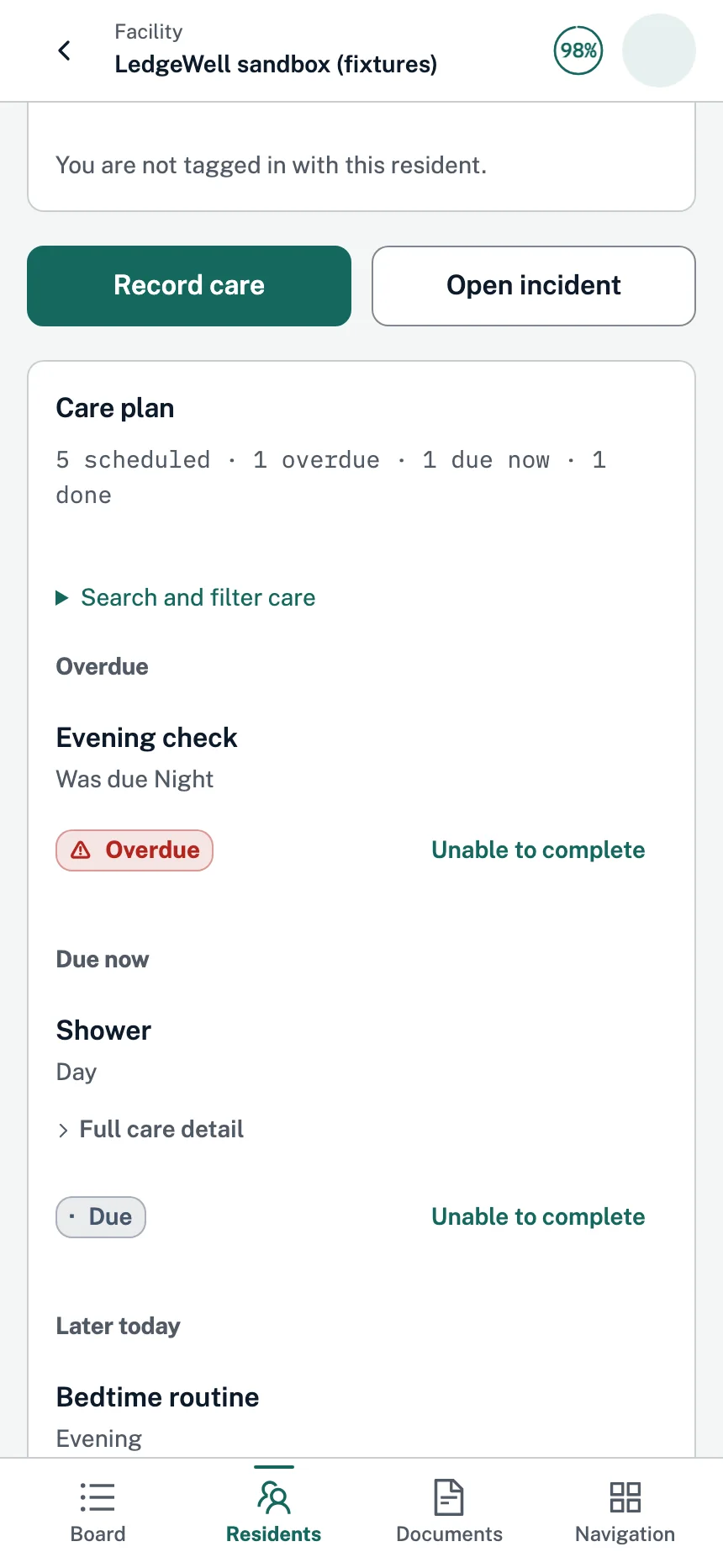
Open a resident and see what’s overdue, what’s due now, and what’s later today. Record what happened as you go. Where voice capture is enabled, say the note instead of typing it, then confirm it.
Resident care card
The resident care card puts the shift’s plan in order: overdue, due now, later today. Record care from the top, or mark a task unable to complete. The card keeps track, so you don’t have to.
On the floor
The list
See what’s open for the residents in your care. Keep the next task on the screen, not in your head.
The visit
Close each checklist item with what actually happened: completed, refused, or not done. The next person gets the real picture, not a checkmark.
The note
Where voice capture is enabled, speak your note and LedgeWell suggests entries. Nothing becomes a care outcome until you confirm it, and you can edit or discard any suggestion.
The handoff
What you finished and what’s still open are there for the next shift, with the notes you confirmed. Your lead decides what carries over.
Your way in
In the product preview, pin up to three phone shortcuts to the parts of LedgeWell you use most. Your role still determines what you can open.
The assistant
Ask the in-app assistant about a resident, what’s due, or the last shift. It works within your access and can prepare supported changes. Actions that require confirmation open a separate review—not an approval hidden in chat.
The honest part
Voice can mishear. That’s why every suggestion waits for you, and why you can edit or discard it. It needs a supported device, microphone permission, and consent for recording in the room. Your judgment stays in charge.
What happens next
We’ll walk a visit start to finish — the checklist, the voice note, the handoff — with fictional residents. Then tell us what would get in your way. That’s the part we most want to hear.
Request a demo